BISP Wallet Activation 2026: How to Receive BISP Payment in JazzCash & Easypaisa
Many women collect their free Benazir SIM and then get stuck. The SIM is in the phone, but no money shows up, and nobody explains what to do next. The reason is usually simple: the wallet is not active yet. BISP wallet activation is the step that connects your SIM, your CNIC, and your Kafaalat payment. This guide explains how to activate it, how the money reaches JazzCash or Easypaisa, and how to take it out without losing a part to a middleman. The 8171 Income Support Program (BISP) is Pakistan’s largest government welfare initiative
What Is the BISP Wallet?
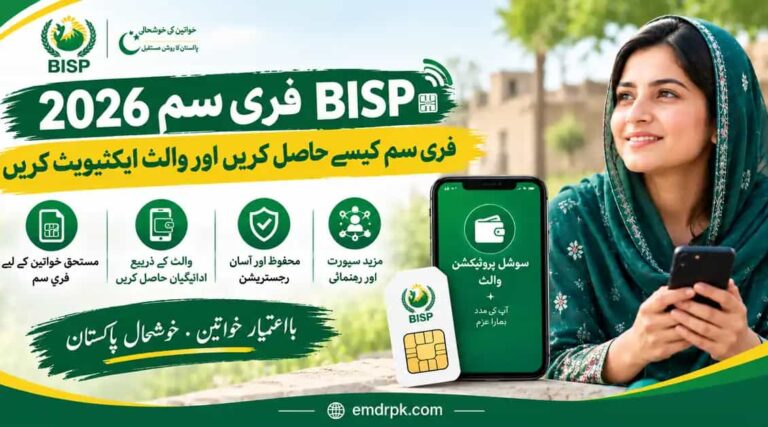
The BISP wallet is a digital account linked to your Benazir SIM and your CNIC. Your Kafaalat money goes into it, and from there you can take cash, pay bills, or send money. A recent guide explains that a Jazz SIM links to JazzCash and a Telenor SIM links to Easypaisa, and the wallet is activated through biometric verification. So you do not open a separate account yourself. The provider is decided by the SIM you receive.
Why You Must Complete BISP Wallet Activation
Getting the SIM is not the same as activating the wallet. One guide warns that having the SIM is not enough, and you must complete wallet activation separately at your Tehsil Office. The same source says beneficiaries should activate their wallet before 31 December 2026, and describes the wallet system as mandatory from January 2027. Only one source gave this deadline, so confirm it at your BISP office. Either way, doing it early avoids missing a payment. Benazir Taleemi Wazaif 2026: Check Payment Online
Before You Start: What You Need
You need your original CNIC, your phone, and a SIM registered in your own name. This last point matters. One guide states that payments will not be credited if the SIM is in someone else’s name, even a family member’s. You also need to be an active Kafaalat beneficiary. Check this first by sending your 13-digit CNIC, without dashes, to 8171, or by using 8171.bisp.gov.pk.
BISP Wallet Activation: Step by Step
Follow these steps:
- Check your status by SMS to 8171 or on the web portal, and confirm that you are eligible.
- Collect the Benazir SIM from your BISP Tehsil Office, if you have not done so already. Registration and SIM issue are free.
- Go to the activation point. This is usually the Tehsil Office or an authorized partner agent (JazzCash, Easypaisa, or a partner bank).
- Complete biometric verification. Your thumb is scanned and matched against NADRA records.
- Wait for the confirmation SMS. One guide says to expect a short processing window after getting the SIM, so the partner networks can finish their back-end activation. If nothing arrives after a few days, go back to the office.
- Set your PIN. Choose a PIN you can remember and never tell it to anyone, including people who say they are from BISP. 8171 PMT Score Check BISP 2026.
How Does the Payment Reach JazzCash or Easypaisa?
Once your wallet is active and the installment is released for your area, the money is sent straight to the wallet linked to your SIM. You should get an SMS alert. You can also check your balance through your SIM’s wallet service or the app. Installing the JazzCash or Easypaisa app is optional, because the wallet lives on your SIM. If you do not have a smartphone, you can still check your balance and withdraw cash at an agent.
How to Withdraw Your BISP Money
There are three common ways to take out cash.
At an authorized agent. This is the simplest way. Visit a JazzCash or Easypaisa agent, give your number or CNIC, enter your PIN, and take the cash. Make sure the shop is authorized, and wait for the confirmation SMS before you leave. BISP 8171 Web Portal 2026
At a biometric ATM. Some guides say HBL or Bank Alfalah ATMs let you withdraw with a thumbprint and no card. One guide describes the steps as selecting the BISP/Ehsaas option, entering your CNIC, and using your thumbprint to withdraw cash. This depends on your wallet’s partner bank, so ask your Tehsil Office which ATMs work for you.
Through the app or SIM menu. You can pay bills, buy mobile credit, or transfer money without taking cash out at all. This is often the cheapest option, since it avoids withdrawal charges.
Is There a Fee?
Activation is free. Guides say registration and wallet activation cost nothing, and that anyone asking for money to do it is not following the rules. Cash withdrawal may carry a small charge, and sources differ. One guide says the withdrawal fee is between Rs 100 and Rs 200, while another puts it at Rs 280. Because the amount is not confirmed, ask the agent for the exact charge before you withdraw, and ask for a receipt or SMS.
How Much Is the Payment?
You will see Rs 13,500 and Rs 14,500 in different guides. I could not confirm which figure is current, so check your amount on bisp.gov.pk or through 8171 instead of trusting a number from a blog.
Common Problems and Fixes
If no money shows up, first check your status on 8171, since the payment may not have been released for your area. If your SIM is in another person’s name, you must have it registered on your own CNIC. If your fingerprint does not match, make sure your CNIC is valid and ask the staff about NADRA re-verification. If the wallet looks inactive after a few days, go back to your Tehsil Office, not to a shop that offers to “fix” it for money.
How to Avoid Wallet Scams
Digital payments bring new scams. Never share your PIN or OTP, even with someone who calls and says they are from BISP, JazzCash, or Easypaisa. Do not hand your SIM or phone to an agent for “activation” without your thumb being scanned in front of you. Do not pay anyone to activate your wallet or release your payment.
Final Thoughts
BISP wallet activation is the key step between getting your free SIM and receiving your Kafaalat money. Make sure the SIM is in your name, check your status on 8171, complete the biometric activation at your Tehsil Office, and keep your PIN private. Withdraw only at authorized agents, ask about the fee first, and ignore anyone who asks for money. Activate early, since the wallet is being made mandatory.
Frequently Asked Questions (FAQs)
1. What is BISP wallet activation?
It is the step that links your Benazir SIM and CNIC to a digital wallet so your Kafaalat payment can be sent to it. It is done through biometric (thumb) verification at your BISP Tehsil Office or an authorized partner agent.
2. Is getting the free SIM enough to receive payment?
No. One guide warns that having the SIM is not enough, and the wallet must be activated separately. If the wallet is not active, the payment will not arrive.
3. Which wallet will I get, JazzCash or Easypaisa?
It depends on your SIM. A Jazz SIM links to JazzCash and a Telenor SIM links to Easypaisa, according to recent guides. You do not choose a separate account.
4. What do I need to activate my wallet?
Your original CNIC, your phone, and a SIM registered in your own name. You must also be an active Kafaalat beneficiary, which you can check by sending your CNIC to 8171.
5. Can I use a SIM registered in someone else’s name?
No. One guide says payments will not be credited if the SIM is in another person’s name, even a family member’s. The SIM must be registered on your own CNIC.
6. Is wallet activation free?
Yes. Guides agree that registration and activation cost nothing. Never pay anyone to activate your wallet.