

BISP 8171 Biometric Payment Not Received? Real Reasons & Step-by-Step Solutions [2026]
Thousands of families across Pakistan are eligible for BISP 8171 payments — but many of them are not receiving their money. Not because they were removed from the program, and not because of any mistake on their part. The reason is almost always something fixable: a fingerprint that did not scan correctly, a CNIC that needs updating, or a simple verification step that was missed.
If your BISP 8171 biometric payment has not arrived or was blocked during verification, this guide explains exactly why it happens and what you need to do, step by step, to fix it and collect your money.
Why Biometric Verification Is Required Before Payment
The BISP 8171 system links every payment directly to the beneficiary’s identity through NADRA’s national fingerprint database. Before any money is released — whether at an ATM, a franchise agent, or a payment center — the system must confirm that the person collecting the payment is the same person registered in the NADRA database.
This process was introduced to eliminate ghost entries, duplicate claims, and fraud. While it has made the system significantly more secure and transparent, it has also created a new category of problem: eligible beneficiaries who cannot collect their payments because the biometric step fails.
Understanding why verification fails is the first step toward fixing it.
Most Common Reasons BISP Biometric Payment Gets Blocked
1. Fingerprint Not Matching NADRA Records
This is the most frequent cause of blocked payments in 2026. The biometric scanner at the payment center compares your fingerprint in real time against what is stored in the NADRA database. If there is even a small mismatch — caused by worn fingerprints, dry skin, injuries, or outdated records — the system blocks the payment automatically.
This problem affects elderly women and daily wage workers most often. Years of physical work can wear down fingerprint ridges to the point where even accurate records no longer produce a clean match.
2. Expired or Inactive CNIC
If your CNIC has expired and has not been renewed, the BISP system cannot verify your identity. The biometric check requires an active, valid CNIC that is currently linked in the NADRA database. An expired CNIC alone is enough to block a payment regardless of whether your fingerprint scans correctly.
3. CNIC Not Linked to a Mobile Number
Since 2025, BISP has required beneficiaries to have their mobile number registered against their CNIC. If your number is not linked, you will not receive SMS alerts about payment availability, and in some cases your payment status may not update correctly in the system.
4. Payment Released But Not Yet Collected
Many beneficiaries check their status and see that payment has been released but are confused when they cannot collect it at the first attempt. Payments are released in phases across different districts. Your payment may show as available in the system but only become collectible at your nearest center once your district phase begins.
5. Biometric Scanner Technical Fault at Payment Center
The fault is not always on the beneficiary’s side. Biometric scanners at payment centers and franchise agents can malfunction, lose calibration, or have connectivity issues. A fingerprint that scans perfectly at one center may fail at another simply because of equipment.
6. Data Mismatch Between BISP and NADRA Systems
In some cases there is a synchronization delay between the BISP database and NADRA’s records. If you recently updated your CNIC or biometric data at NADRA, the change may not immediately reflect in the BISP system. This typically resolves within 24 to 48 hours but can cause temporary payment blocks.
Step-by-Step: How to Fix BISP 8171 Biometric Payment Problems
Step 1: Check Your Payment Status First
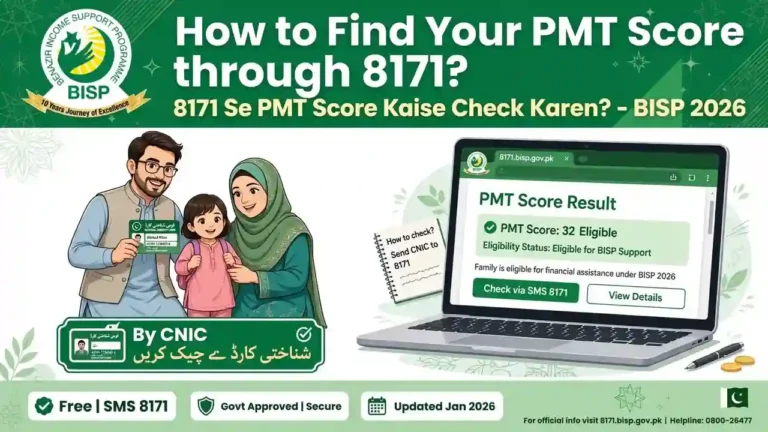
Before visiting any office or center, confirm your current payment status. Send your 13-digit CNIC number (without dashes) as an SMS to 8171. You will receive a reply showing your eligibility and whether a payment has been released for you.
Alternatively, visit the official portal at 8171 web portal and enter your CNIC to check your full status online.
If your status shows payment released but blocked due to biometric failure, move to Step 2.
Step 2: Try a Different Payment Center
Before assuming there is a problem with your biometric record, try verifying at a different BISP payment center or franchise agent in your area. Equipment varies by location, and many beneficiaries who fail verification at one center successfully verify at another within the same day.
Step 3: Clean and Prepare Your Fingers
This sounds simple but it genuinely helps. Before placing your finger on the biometric scanner, make sure your hands are clean and completely dry. Moisture, lotion, dust, or grease all reduce scan accuracy. Use your dominant hand and press your finger firmly and flatly against the scanner surface rather than just touching it lightly.
If one finger consistently fails, try a different finger on the same hand. All ten fingerprints are stored in the NADRA database and any of them can be used for verification.
Step 4: Visit NADRA to Update Biometric Records
If the problem persists across multiple centers, the issue is almost certainly with your stored biometric data. Visit your nearest NADRA registration center and request a biometric update. The process involves re-scanning all ten fingerprints with updated, higher-quality equipment.
Important information about this visit:
- NADRA charges a small official fee of approximately Rs. 100 to 150 for a biometric update
- The update is typically processed the same day
- After updating, wait 24 to 48 hours before attempting BISP verification again, as the two systems need time to synchronize
- Bring your original CNIC and any BISP payment notification or slip you have received
Step 5: Request Facial Verification If Fingerprints Cannot Be Updated
For beneficiaries whose fingerprints genuinely cannot be recognized — particularly elderly women and individuals with physical conditions affecting their hands — NADRA has introduced facial recognition as an alternative verification method at selected centers.
To access this option, visit your BISP Tehsil Office and explain the situation. Staff can initiate a request for facial verification. NADRA may issue a Facial Recognition Certificate (approximate cost Rs. 20) that authorizes payment centers to verify your identity through facial scan instead of fingerprints.
Step 6: Renew Expired CNIC Before Anything Else
If your CNIC has expired, no other step will work until it is renewed. Visit your nearest NADRA office with your existing CNIC and complete the renewal process. Once your new CNIC is issued and active in the NADRA system, your BISP payment eligibility will be restored and biometric verification can proceed normally.
BISP 8171 Biometric Problem Solutions — Quick Reference
| Problem | Cause | Solution |
|---|---|---|
| Fingerprint not recognized | Worn ridges, dry skin, outdated record | Try different finger, update at NADRA |
| Payment blocked after scan | Biometric mismatch in system | NADRA biometric update, wait 24–48 hrs |
| No SMS notification received | Mobile not linked to CNIC | Link number at NADRA or BISP office |
| Payment shows released but not collectible | Phase-based rollout in your district | Wait for district phase, check status daily |
| Scanner fails at one center | Equipment malfunction | Try a different payment center |
| Facial recognition needed | Fingerprints permanently unreadable | Request Facial Recognition Certificate at NADRA |
| CNIC expired | Not renewed | Renew CNIC at NADRA immediately |
Who Is Most Affected by Biometric Verification Failures
Certain groups face a higher rate of biometric verification failure than others, and understanding this helps you know what solution applies to your specific situation.
Elderly women — The primary beneficiaries of BISP Kafaalat payments are women, and older women particularly face fingerprint recognition issues because the natural aging process reduces fingerprint ridge depth over time. The facial verification option was introduced specifically to address this group.
Daily wage workers and laborers — Physical labor involving repeated contact with rough surfaces, tools, chemicals, or construction materials gradually wears down fingerprint ridges. Workers in agriculture, construction, and domestic work are frequently affected.
Beneficiaries with older NADRA records — If your biometric data was last recorded many years ago, the stored record may not accurately represent your current fingerprints. Updating the record at NADRA resolves this completely.
New Improvements to BISP Biometric System in 2026
The government has made several upgrades to address the growing number of biometric complaints:
Newer, higher-accuracy fingerprint scanners have been installed at payment centers across Pakistan, including in rural and remote districts. These scanners handle partial or worn fingerprints better than older equipment.
Facial recognition technology has been introduced as an official alternative at selected centers, giving beneficiaries who cannot complete fingerprint verification a reliable backup option.
BISP Tehsil Offices now have faster complaint resolution procedures, reducing the time it takes to escalate and resolve biometric issues from weeks to a few days in most cases.
The BISP and NADRA systems now synchronize more frequently, meaning updates made at NADRA reflect in the BISP payment system within 24 to 48 hours rather than the longer delays seen in previous years.
How to Check BISP 8171 Payment Status in 2026
There are three ways to check whether your payment is ready:
SMS Check — Send your 13-digit CNIC number without dashes to 8171. This is the fastest method and works from any mobile number.
Online Portal — Visit 8171.bisp.gov.pk, enter your CNIC, and view your full payment and eligibility status. This shows more detail than the SMS response.
Visit BISP Office — If SMS and online checks are unclear or show conflicting information, visit your nearest BISP Tehsil Office with your CNIC. Staff can check your full record and tell you exactly what is causing any delay or block.
Safety Tips When Collecting BISP Payment
Always collect your payment yourself if possible. Do not hand your CNIC or share your personal information with anyone who offers to collect your payment on your behalf — this is a known method used by fraudsters in areas where beneficiaries are unfamiliar with the process.
After collecting your payment, always ask for a printed receipt or confirmation slip. Keep this as your record in case of any future dispute.
BISP does not charge any fee for payment collection. If anyone at a payment center or franchise location asks you for money before releasing your funds, report this immediately to the BISP helpline through the official portal.
Frequently Asked Questions
Q: My BISP payment shows as released but I still cannot collect it why?
Payments are released in phases by district. Your payment may be confirmed in the system but not yet available for collection in your specific area. Check your status daily via SMS to 8171 and visit a payment center once collection is confirmed for your district.
Q: How long does it take for NADRA biometric update to reflect in BISP system?
Typically 24 to 48 hours after the NADRA update is processed. Avoid trying to collect your payment during this window and attempt verification again after two days.
Q: Can someone else collect my BISP payment if I cannot go myself?
In limited circumstances, verified family members may be allowed to collect payments. This requires prior approval from a BISP office and documentation. It is not something that can be arranged informally at a payment center.
Q: What if facial verification is not available at my nearest center?
Visit your BISP Tehsil Office and request escalation. They can direct you to the nearest center where facial verification is available or initiate the Facial Recognition Certificate process at NADRA on your behalf.
Q: Is NADRA biometric update free?
No. NADRA charges a small fee of approximately Rs. 100 to 150 for a biometric update. This is the only official fee involved in the process.
Disclaimer: This article is for informational purposes only. For official information, always refer to the BISP official portal at 8171.bisp.gov.pk or contact your nearest BISP Tehsil Office directly.


One Comment