
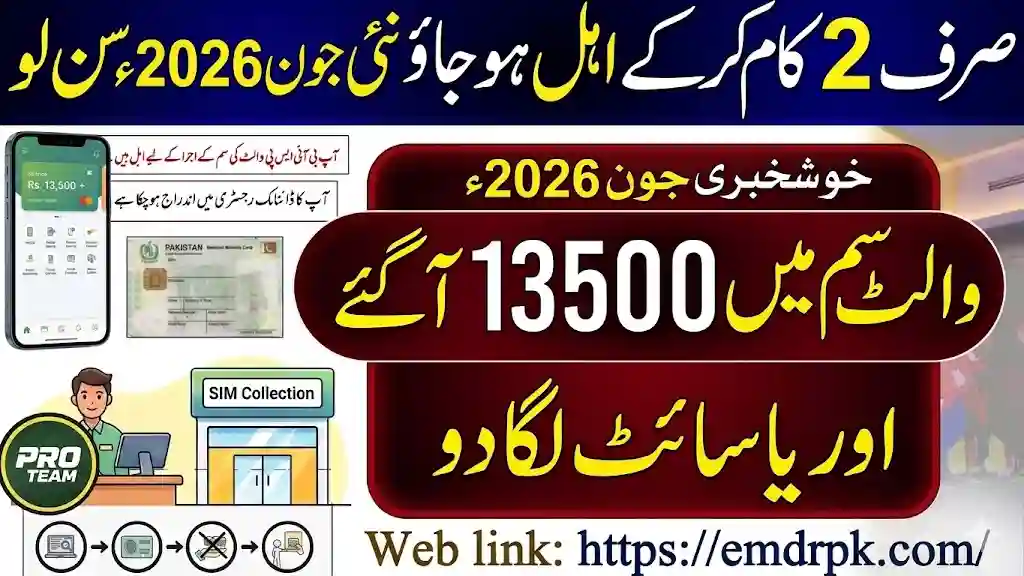
How to Reactivate Your Blocked Installment in June 2026 – New Method!
If your BISP 8171 installment has been blocked and you are wondering what to do next — you are not alone. Thousands of eligible families across Pakistan are facing the same issue in June 2026, and many of them do not know that a new, faster reactivation method is now available through BISP Tehsil offices and the updated 8171 portal.
The most important thing to understand right away: a blocked installment does not mean you have been permanently removed from the program. In most cases, the block is temporary and can be resolved by following the correct steps. This guide explains everything clearly — why installments get blocked, what the new reactivation method involves, which documents you need, and exactly what to do from today.
What Does “Blocked Installment” Actually Mean?
When the BISP system marks your installment as blocked, it means your payment has been processed and is ready in the system — but it cannot be released to you until a specific issue is resolved on your profile.
This is different from being declared ineligible. An ineligible status means the system has determined you do not qualify for the program. A blocked status means you are still in the program but something needs to be verified or updated before your payment can proceed.
This distinction matters because it determines what action you need to take. A blocked installment requires reactivation steps. An ineligible status requires a fresh survey or appeal.
Why Do BISP 8171 Installments Get Blocked in 2026?
Understanding the cause of your specific block is the most important first step. Different causes require different solutions, and taking the wrong action wastes time. Here are the most common reasons installments are blocked in June 2026:
1. Expired or Unrenewed CNIC
This is the single most common reason for a blocked installment. BISP requires your CNIC to be active and valid in the NADRA database at all times. If your CNIC expired and was not renewed, the system automatically flags your account and holds your payment until the issue is resolved.
2. Biometric Verification Failure
If your last payment attempt involved fingerprint verification that failed and was not successfully retried, the system logs a biometric failure against your account. Repeated failed attempts without resolution can result in a temporary installment block.
3. Outdated NSER Household Data
The National Socio-Economic Registry (NSER) stores your household information — family size, income level, housing status, and other poverty indicators. If this data has not been updated for several years, or if significant changes have occurred in your household that have not been reported, the system may flag your account for re-survey before releasing further payments.
4. PMT Score Reassessment
The Proxy Means Test (PMT) score is a poverty measurement used to determine eligibility. Periodically, BISP reassesses scores across beneficiary groups. If your household’s PMT score has been recalculated and now sits above the eligibility threshold of 32, your installment will be blocked pending review.
5. Tax Filer Status in the Household
If any member of your household is registered as an active tax filer with the Federal Board of Revenue (FBR), this can trigger an automatic eligibility review. Tax filers are generally considered above the poverty threshold, and households containing them may have payments suspended until the situation is clarified.
6. Mobile Number Not Linked to CNIC
Since 2025, BISP requires beneficiaries to have an active SIM card registered under their own CNIC. If your mobile number is not linked, you will not receive payment notifications and your account may be flagged for incomplete contact information.
7. BISP and NADRA Data Mismatch
If the information stored in the BISP database does not match what NADRA has on record for your CNIC — such as name spelling differences, date of birth discrepancies, or address mismatches — the system flags your account for manual review and holds the installment.
8. Digital Wallet Not Yet Activated
In June 2026, BISP is transitioning a significant portion of beneficiaries to the new Digital Social Protection Wallet system. If you have received an SMS asking you to activate your digital wallet and have not yet done so, your installment may be on hold until activation is complete.
How to Check If Your Installment Is Blocked — Before Anything Else
Before visiting any office or taking any action, confirm your current status through one of these official methods:
Method 1 — SMS to 8171 Open your phone’s messaging app. Type your 13-digit CNIC number without any dashes or spaces. Send this message to 8171. Within a few minutes you will receive an official reply showing your eligibility status and whether a payment is blocked or pending.
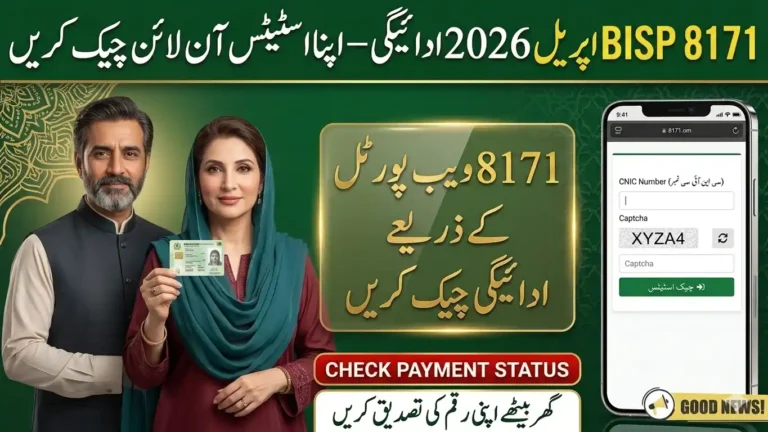
Method 2 — Official Web Portal Visit on any device with internet access. Enter your 13-digit CNIC number in the field provided, complete the security verification, and click check status. The portal shows your full payment history, current eligibility, and the specific reason for any block.
Method 3 — Visit BISP Tehsil Office If SMS and online checks are unclear or you cannot access the portal, visit your nearest BISP Tehsil Office directly with your original CNIC. Staff can check your complete account record and tell you the exact reason your installment is blocked and which documents you need to bring for reactivation.
New Reactivation Method for June 2026 — Step by Step
BISP has streamlined the reactivation process in 2026 with faster processing at Tehsil offices and updated digital verification options. Here is the complete new method:
Step 1 — Identify the Exact Reason for the Block
Use the SMS or portal check described above. Note down what the system says about your status. The reason for the block determines which of the following steps apply to you specifically.
Step 2 — Gather Your Documents
Before visiting any office, prepare the following:
- Original CNIC (valid and not expired)
- Copy of CNIC (front and back)
- Mobile phone with the SIM registered under your CNIC
- Any previous BISP payment slips or receipts if available
- Family Registration Certificate (FRC) from NADRA if your household data needs updating
- Children’s B-Form copies if you are applying for Taleemi Wazaif restoration
Step 3 — Renew CNIC If Expired
If your CNIC is expired, this must be done before any other step. Visit your nearest NADRA office and complete the renewal process. Once your new CNIC is issued, bring the renewal receipt to the BISP Tehsil Office as proof that the process is underway — in some cases this is enough to temporarily lift the block while the new card is being processed.
Step 4 — Visit BISP Tehsil Office for Reactivation
Go to your nearest BISP Tehsil Office during working hours. Inform the staff clearly that your installment is blocked and you are there for reactivation. Do not visit a franchise agent or payment center for this — only Tehsil offices have the authority to process reactivation requests.
At the office, staff will:
- Verify your CNIC against NADRA records
- Check the specific reason for your block in the system
- Ask you to complete a reactivation form
- Request any additional documents specific to your case
- Register your complaint formally if the block requires senior review
This entire process at the Tehsil office is completely free of charge. You do not need to pay any fee to any staff member or agent for reactivation.
Step 5 — Complete the NSER Dynamic Survey If Required
If the block is due to outdated household data, staff at the Tehsil office will ask you to complete or update the NSER Dynamic Survey. This survey re-records your household information — family members, income sources, assets, and housing conditions — and recalculates your PMT score.
Bring honest and accurate information. The survey is used to confirm that your household still meets the eligibility criteria. After the survey is submitted, the system reviews and processes the data, which can take 15 to 30 days before payments are restored.
Step 6 — Resolve Biometric Issues at NADRA If Needed
If your block is connected to biometric verification failure, and fingerprint scanning continues to fail at payment centers, visit your nearest NADRA registration center to update your biometric records. The fee for this update is approximately Rs. 100 to 150. After updating, wait 24 to 48 hours for the BISP and NADRA systems to synchronize before attempting verification again.
Step 7 — Activate Digital Wallet If You Received an SMS
If you received an SMS from 8171 asking you to activate a digital wallet or link your SIM to your payment account, follow the instructions in the message. This activation step is part of BISP’s 2026 transition to digital payments. Beneficiaries who complete this step have reported that pending installments — including previously blocked ones — were released as combined payments in the following cycle.
Documents Required for BISP Reactivation — Complete List
| Situation | Documents Needed |
|---|---|
| General reactivation | Original CNIC, CNIC copy, registered SIM |
| Expired CNIC | Renewal receipt from NADRA + original CNIC |
| Household data update | FRC from NADRA, original CNIC |
| Biometric failure | NADRA biometric update receipt |
| Tax filer issue | Proof of removal from ATL, original CNIC |
| Children’s stipend (Taleemi Wazaif) | Children’s B-Forms, school enrollment proof |
How Long Does Reactivation Take in June 2026?
Reactivation time depends on the reason for the block:
If the issue is a simple data mismatch or CNIC update, payments can be restored within 3 to 7 working days after the Tehsil office processes your request.
If the block required a full NSER Dynamic Survey, processing typically takes 15 to 30 days after submission.
If biometric data was updated at NADRA, the sync takes 24 to 48 hours and payments can usually resume at the next available collection window.
Complex cases involving PMT score reassessment or tax filer status can take 30 days or more depending on the volume of cases being reviewed at the time.
Fraud Warning — Protect Yourself During Reactivation
Every time BISP payments are in the news, fraudsters increase their activity. During the June 2026 reactivation period specifically, be aware of the following:
BISP will never call you from a personal mobile number asking for your CNIC, bank PIN, or OTP. All official communication comes from the number 8171 only.
No agent, helper, or middleman can speed up your reactivation for a fee. The official process at BISP Tehsil offices is completely free. Anyone asking for money to unblock your payment is committing fraud.
Do not share your CNIC number, SIM details, or any personal information with anyone who contacts you claiming to be from BISP, NADRA, or any government department through WhatsApp, social media, or a personal phone number.
If you suspect fraud, report it immediately through the official BISP helpline at 0800-26477 or email https://emdrpk.com/.
BISP Reactivation — Quick Summary Table
|
Step |
Action |
Where |
|---|---|---|
|
1 |
Check blocked status |
SMS to 8171 or 8171 bisp.gov.pk |
|
2 |
Gather documents |
At home |
|
3 |
Renew CNIC if expired |
NADRA office |
|
4 |
Visit for reactivation |
BISP Tehsil Office |
|
5 |
Complete Dynamic Survey if needed |
BISP Tehsil Office |
|
6 |
Update biometrics if needed |
NADRA office |
|
7 |
Activate digital wallet if prompted |
Follow SMS instructions |
Frequently Asked Questions
Q: My BISP installment shows blocked — does this mean I have been removed from the program?
No. A blocked installment means your payment is on hold due to a verification issue, not that you have been permanently removed. Most blocks are resolved after completing the steps described above.
Q: Is the reactivation process free?
Yes. Reactivation at BISP Tehsil offices is completely free. The only official fees involved are the NADRA CNIC renewal fee or biometric update fee if those steps are needed, which are paid directly to NADRA.
Q: Can I reactivate my installment online without visiting an office?
For simple issues like checking status or updating a mobile number, the 8171 portal can help. For formal reactivation, especially those requiring survey updates or document submission, a physical visit to the BISP Tehsil Office is required.
Q: What if my PMT score is above 32 — can I still get reactivated?
If your recalculated PMT score shows you above the eligibility threshold, reactivation may not be possible under the current criteria. However, you can request a re-survey at the Tehsil office if you believe the score is incorrect due to outdated or inaccurate data.
Q: I completed reactivation steps two weeks ago but still have not received payment — what should I do?
First check your status again via SMS to 8171. If the block has been lifted but payment has not arrived, it may be in the next release cycle for your district. If the status still shows blocked after two weeks, visit the Tehsil office again with your complaint receipt and ask for a follow-up.
Q: What is the BISP digital wallet and do I need it?
The digital wallet is a new payment system BISP is rolling out in 2026 that links payments to a SIM-based account. If you received an SMS asking you to activate it, you should do so. It makes future payments faster and reduces the need to visit physical collection points.
Disclaimer: This article is for informational and educational purposes only. For official guidance, always visit 8171.bisp.gov.pk or contact your nearest BISP Tehsil Office directly. BISP policies and procedures may be updated — always verify with official sources.

One Comment